Couple widgets not updating? An iPhone checklist
A widget can be behind even when a photo or note was sent successfully. Work out where the update stops: inside the app, between the two accounts, or only on the Home Screen. That distinction makes troubleshooting much more useful.
In this guide
Open the app on both phones, confirm pairing and internet access, and check whether the new content appears inside the receiving app. Then verify the widget configuration, review relevant permissions, update the app and try removing and re-adding the widget. iOS does not promise an instant refresh for every update.
Match the symptom to the next check
Start with the symptom you can observe. It narrows the next step without treating every widget problem as a reason to reinstall the app.
- The new content is missing inside the receiving app too: check the connection and the paired accounts first.
- The app shows the new content but one widget is behind: check that widget’s configuration and try adding it again.
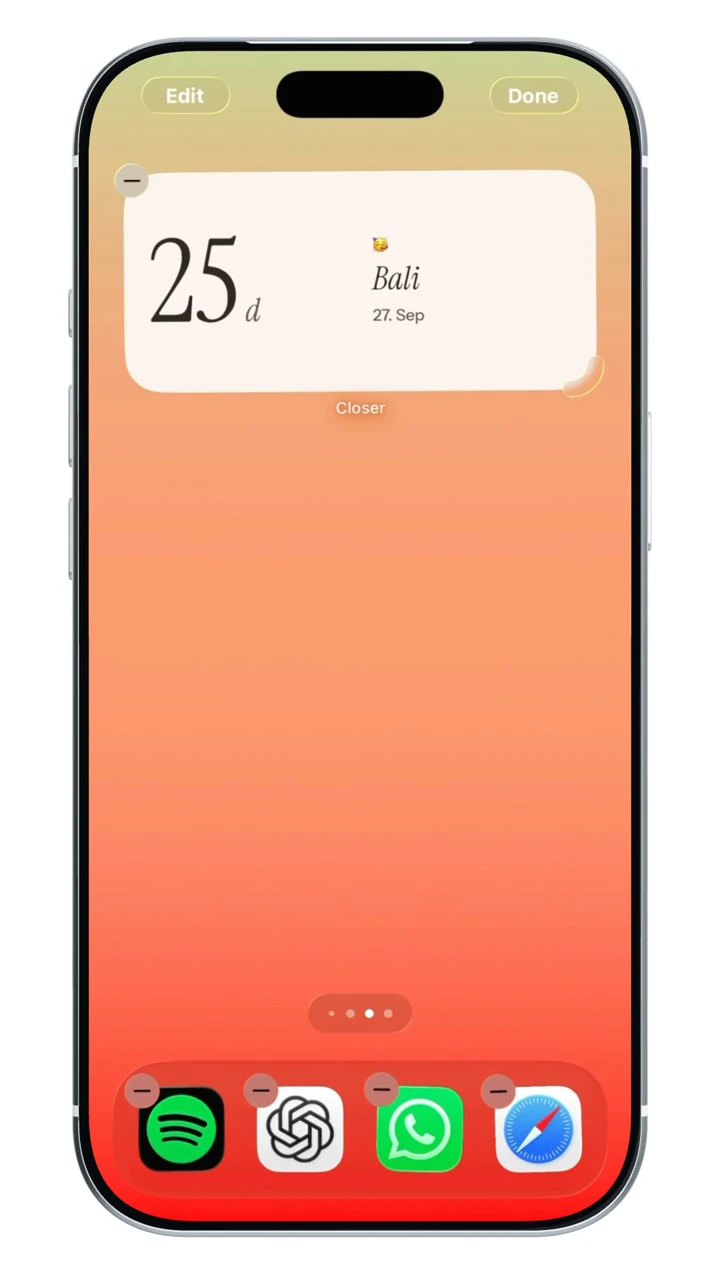
- A different widget keeps appearing in the same space: check whether it is part of a stack with Smart Rotate.
- Only location-based information is old: review the relevant permissions and connection on both phones.
- A date count looks unexpected: compare the entered date and what the counter is measuring before treating it as a sharing failure.
First, find out where the update stops
Open the receiving app before changing any settings. If the new content is missing there too, start with the app’s connection, account and pairing state. If it is visible inside the app but missing from the widget, focus on the widget itself.
Try one simple update you can recognize, such as a new mood. Repeatedly changing many features at once makes it harder to know which step helped.
Check the connection and pairing
Both phones need a working connection for a new shared update to reach the service. Confirm that both people are still paired with the intended account and that the sending app shows the update you expect.
In Closer, opening the app can refresh its current state. If you recently unpaired, you need to pair again; an old widget does not restore the previous connection. Review notification permission if you want partner activity to help wake the widget.
Check the widget you actually added
Make sure the displayed widget belongs to the correct app and, where the app supports configuration, the right partner or content type. A similar-looking theme or another app’s widget can make this surprisingly easy to misread.
For location-based information, review the app’s location permission on both devices. A photo-sharing issue and a delayed distance or partner-time update may have different causes. Grant only the access that you want the feature to use.
Understand the iPhone refresh limits
Apple’s WidgetKit documentation describes a system-managed refresh process. Apps can request new timelines, but requests are not a guarantee of an immediate redraw. Refresh behavior is not the same as keeping a live app screen open.
Low Power Mode also limits background activity, including Background App Refresh. If you are diagnosing a delay, check whether it is active and test the app while both phones are connected. Turning it off is not a promise that a widget will update immediately.
Try a small reset before reinstalling
Check for an app update, open the app again, and remove and re-add the widget. Removing a widget is different from deleting the app or its account. If the issue started after an iOS update, also check the developer’s current support advice.
Treat reinstalling as a later step. In Closer, an anonymous account may not be recoverable after losing the session, so review recovery or contact support first. Avoid sending passwords, account tokens or private partner content when asking for help.
Give support a useful description
Tell the developer your iPhone model, iOS version, app version, widget type and whether the current update appears inside the app. Say when it last worked and which steps you already tried.
If you use Locket, its official help center has a specific widget-update article. For Closer, use the support page linked below. Provider-specific guidance is more useful than assuming every widget uses exactly the same synchronization design.
Use the developer’s own refresh guidance
Locket’s help center says new photos can take up to five minutes to reach its widget and suggests checking updates or restarting the device when delays persist. That guidance is specific to Locket.
Do not turn that number into a rule for every app. For Closer, first compare the receiving app with the widget, then review pairing, connectivity and relevant permissions. Use the support link with your app and iOS versions if the mismatch continues.
A few more questions.
Will switching on Background App Refresh guarantee immediate widgets?
No. It is one setting to review when troubleshooting background behavior, but iOS manages widget refreshes and app designs differ. An update inside the app does not guarantee an immediate Home Screen redraw.
Should I delete and reinstall Closer if a widget is stuck?
Start with opening the app, checking pairing and connectivity, updating it, and removing and re-adding the widget. Review account recovery before deleting the app, especially if you use an anonymous account.
Does an old distance or time-zone widget prove that my partner stopped sharing?
No. An old display alone does not establish the cause. Connectivity, permissions and delayed updates can all affect location-based information. Closer is not a live location map or a safety-tracking service.
Sources & app credits.
Official resources checked for this guide. App names and icons belong to their respective owners; their inclusion does not imply endorsement of Closer.