Couple widgets
for iPhone.
Couple widgets turn a familiar part of your iPhone into a small shared space. Closer gives you different ways to share a feeling, a view, a song or a date worth counting down to.
Closer offers couple widgets for moods, presence, pulses, love-note drawings, photo Moments, shared memories, songs, partner time, distance, visit countdowns and anniversaries, plus a large Together widget. Home Screen widgets are free; Lock Screen widgets require Pro.
Which couple widget feels like you?
For little everyday check-ins
- Mood: pick a feeling, or create a custom emoji and label for your partner’s screen.
- Presence: share a short update about your day.
- Pulse: send a heart, hug, kiss, “miss you” or “arrived safe” signal.
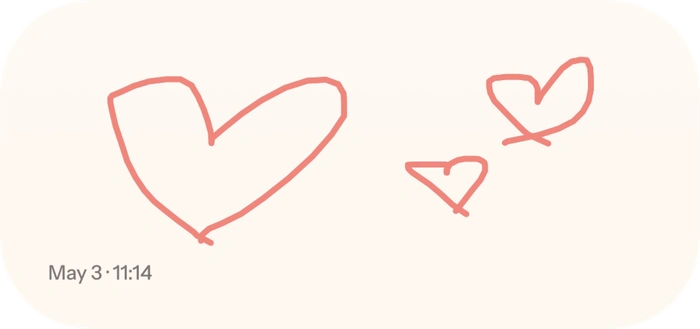
- Love Note: draw something personal for your partner.
For your shared world
- Moment: share a photo with an optional caption and front-camera inset when available.
- Memory: keep a shared photo, title, place and date on both screens.
- Song: share a music link, artwork, song title and artist, with a link to listen.
For the next chapter
- Countdown: see the time until your next shared visit.
- Partner Time: see your partner’s local time.
- Distance: see the distance between your devices when both share location.
- Anniversary: count the days you’ve been together.
- Together: a large Home Screen widget with mood, presence, days together and a heart button.
Home Screen vs. Lock Screen widgets
Home Screen widgets appear alongside your apps. Closer offers all Home Screen widget types for free. Lock Screen widgets use iPhone’s smaller accessory formats and require Closer Pro. The available sizes vary by widget; not every feature uses every size.
How to add Closer widgets on iPhone
- Install Closer on both iPhones and connect using a pairing code.
- Touch and hold your Home Screen, enter edit mode and open the widget gallery.
- Search for Closer, choose a supported widget and add it.
- Open Closer to set your mood, draw a note or share a Moment. Your linked partner’s widget can show the update.
Closer includes in-app guides for Home Screen and Lock Screen setup. iOS controls widget refresh timing. If a widget is behind, open Closer, confirm you are paired and connected, and review notification permissions.
Is a photo widget the same as shared history?
No. The current Moment or memory on a widget is separate from a saved archive. Closer Pro’s optional shared history keeps future Moments and love-note drawings for 30 days after each sender opts in. Free accounts keep current widget content without saved history.
Built for two linked partners
Closer uses a pairing code to connect two people. You choose the content you share and can change device permissions in iOS Settings. Closer is available here for iPhone running iOS 17 or later. Pro purchase options and prices are shown in the app.
Start with a layout you will actually notice
Choose one widget for a quick signal, such as a mood or presence update, and one for something you want to spend a moment with, such as a photo or a drawn note. Look at the sizes Closer offers in the iPhone gallery and give the visual content enough space to be readable.
Your partner does not have to copy your layout. Pairing connects the content, while each person adds the widgets they prefer on their own phone. The large Together Home Screen widget is an option when you want mood, presence, days together and a heart button in one view.
A current widget is not a permanent archive
A Moment puts the current photo on screen. A Memory lets you select a photo with its title, date and place. Closer Pro’s optional history is another feature: future Moments and love-note drawings are retained for 30 days after the sender opts in.
Free accounts keep current widget content without saved history. Existing sends are not backfilled when history is enabled, and unpairing removes shared history. Keep your own copies of photos you want to retain beyond that period.
A few practical questions.
Can my partner and I use different widget sizes?
Yes. Each person chooses from the supported types and sizes on their own iPhone. Pairing does not require identical Home Screen layouts.
Are Closer’s Lock Screen widgets included for free?
Home Screen widget types are included in Free. Lock Screen widget formats require Closer Pro, and one active Pro purchase covers both linked partners.