
Anniversaries
& visit countdowns.
Some numbers feel like more than numbers. The days since you found each other. The days until the next airport hug. Closer keeps both close on your iPhone.
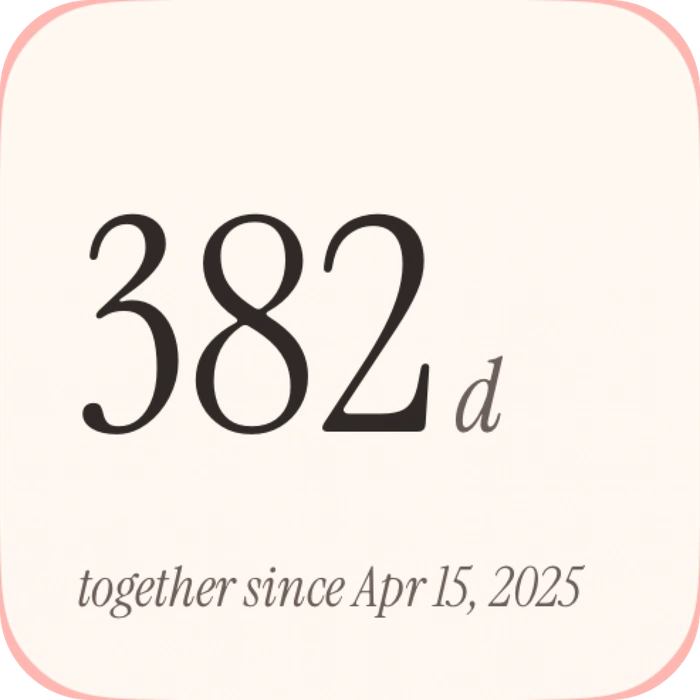
Closer has two different couple date features: an anniversary counter for the days you have been together, and a shared visit countdown for the time until your next reunion. Both offer Home Screen widgets for free, with Lock Screen formats available through Pro.
An anniversary counter for your story so far
Set your relationship start date in Closer, and the anniversary widget displays the days you’ve been together. It is a quiet way to celebrate the everyday part of a relationship, between the bigger milestones.
The large Together widget also includes your days together alongside your partner’s mood, presence and a heart button. Choose a dedicated anniversary widget when you want the date to be the focus, or Together when you prefer one combined view.
A visit countdown for what’s next
The visit countdown is separate from your anniversary. Give your next visit a title, a place and a target date. Both partners share that visit, so the widget can keep the same reunion in sight on both phones.
For a long-distance couple, that might be a weekend in the same city. For partners who live nearby, it might be the next time you will be together after a trip. The visit is yours to name.
Which widget should you use?
- “How long have we been together?” Choose the anniversary widget.
- “How soon until we see each other?” Choose the visit countdown widget.
- “Can I keep a few things together?” Choose the large Together Home Screen widget for mood, presence, days together and a heart button.
Set up your couple countdown
- Download Closer on both iPhones and pair with a code.
- Set your relationship start date for the anniversary counter.
- Add your next visit with its title, place and date.
- Choose an anniversary or countdown widget in the iPhone widget gallery.
Can both people use the widgets for free?
Yes. All Home Screen widget types are included in Closer Free. Each person has five intentional partner-facing updates per UTC day. Closer Pro removes that update limit and adds Lock Screen widget formats. One active Pro purchase covers both linked partners. Check current prices and terms in the app.
Make the time between visits feel shared
A countdown tells you when. Closer’s other features help with the days in between: a photo Moment, a mood, a drawn love note or a song link. Partner time and distance widgets can also help when you are in different places, with each person’s location permission. Device and widget updates can be delayed by iOS.
Two dates, two different jobs
Imagine your relationship began on June 1 and your next visit is on December 15. June 1 belongs in the relationship-start-date feature; December 15 belongs in the next-visit feature. The anniversary counter looks back, while the countdown looks toward that next visit.
Those example dates are illustrative. Keep your actual relationship start date in place when visit plans change, and update the shared visit rather than replacing the anniversary with it.
Check the date together before adding the widget
After pairing, confirm the intended relationship start date and visit details inside the app. Then add the supported widget on each phone. You can choose different layouts while keeping the same shared visit in view.
If a number looks unexpected, first compare the date you entered and whether you are reading a counter or a countdown. For a stale widget, check the current value inside the app before changing dates repeatedly. Use Closer support if the discrepancy continues.
A few practical questions.
Will changing my next visit change my relationship anniversary?
They are separate features. Keep the relationship start date for your days-together counter and edit the visit’s title, place and target date for the next reunion.
Is a countdown widget a reminder notification?
A visible countdown and a timed notification are different features. Do not assume the widget will send an alert at the date you entered. Use a reminder method you have checked if you need a prompt at a particular time.